

How to Review Flashcards from Your iPhone Lock Screen
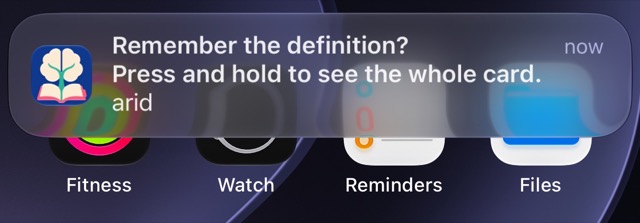
You can review saved English words from your iPhone lock screen with Miji. Touch and hold a flashcard notification, try the answer, then check it and mark Knew or Forgot. You need notifications enabled; you do not need Pro for this practice.
This article is published by Miji’s maker.
Miji: turn a spare moment into a real answer
Product details and linked sources checked on October 26, 2026.
Miji makes flashcards from English dictionary meanings you save. Its App Store listing includes lock-screen answering, free notifications and offline practice with saved flashcards.
You need an iPhone running iOS 26 or later. The app's interface and dictionary definitions are in English.
Start with a word you actually want to remember. Look it up, choose the meaning you need, and tap Remember. For the full saving workflow, see how to use a dictionary to learn English.
Miji is free to download. The free version starts with room for 10 words.
Once a practice notification arrives, you can answer there instead of opening a full study session.
Expand, recall, check, then choose
1. Touch and hold the Miji notification. A single tap may open the app instead. Apple explains these notification actions. 2. Try to recall the answer before revealing it. Think it or say it quietly. Familiar-looking is not the same as remembered. 3. Tap Check to see the answer. This reveals it without recording a judgment. 4. Choose Knew or Forgot. Judge what you recalled before checking, not how clear the answer seems afterward.
You can also choose Knew without checking when you are sure. If you want to compare your answer first, Check leaves both judgments available afterward.
Closing the notification is not a completed answer. Neither is revealing the answer and leaving without a judgment. Stop whenever you need to; return to practice later.
Try the difference with arid
Imagine your saved meaning is the dry-weather sense of arid. Before checking, explain the word in your own words.
Which of these answers shows that you recalled that meaning?
- “It describes a place with very little rain.”
- “I recognize the spelling, but I cannot explain it.”
- “It means very hot.”
The first captures the meaning. The second is recognition without recall. The third misses the key idea: dryness, not heat.
After checking, choose Knew for a sound answer in your own words. You do not need to repeat the definition exactly. Choose Forgot if the answer only came back after you saw it.
Then try a sentence later: “Some plants can survive in an arid region.” That small extra step connects the meaning to use.
This is a practice example, not a screenshot of a completed review. For a fuller routine, follow spaced repetition for vocabulary.
If the notification is missing or cannot record
Start with Settings → Notifications → Miji on your iPhone. Check Allow Notifications and whether Lock Screen alerts are selected.
Next, check whether Focus or Scheduled Summary is holding alerts back. Apple's notification troubleshooting guide also explains how a paired Apple Watch can change where notifications appear.
Keep the settings that suit your privacy and attention. Hidden previews may require unlocking to read the content. You do not have to show your vocabulary to everyone near your phone.
If Miji asks you to unlock your phone or open the app, follow that message. A visible flashcard can be read-only when the library cannot record an answer.
You can always open Miji for practice instead of waiting for another alert. An absent notification does not, by itself, tell you whether words are due.
Notifications depend on your iPhone's permissions and settings.
Choose the kind of practice you actually want
This workflow uses an interactive notification, not a permanent word on your lock screen. It asks you to recall and judge an answer, rather than simply read a definition.
If you want a different approach, Lockcard also advertises notification flashcards alongside interactive widgets and saved context. Check its current features against your needs; notification learning is not unique to Miji.
For custom translations or other subjects, choose a tool that supports those inputs. This Miji workflow practices English dictionary meanings, not arbitrary questions you type yourself.
Questions
Do I need Miji Pro for notification flashcards?
No. Notifications and practice stay free. Your available saved-word capacity still limits how many new words you can add.
Will a flashcard appear every time I unlock my phone?
No. This is scheduled notification practice, not an every-unlock screen. Delivery can also be affected by your iPhone settings.
Does checking an answer mark it wrong?
No. Check reveals the answer. Choose Knew or Forgot afterward to record how you did.
Can I study without notifications?
Yes. Open Miji and practice there. Choose the route you can give attention to, even if that changes from day to day.